
Quick answer
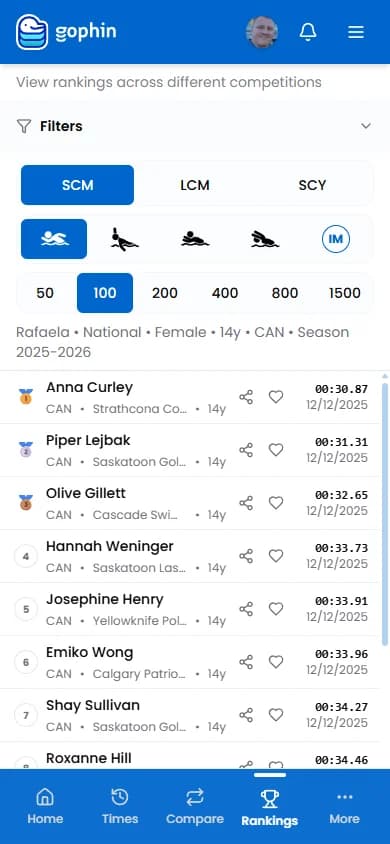
Sign in to Gophin, tap Rankings, set course, stroke, distance, gender, age, region, and season. The list orders swimmers by best time. Read the gap to the places above and below, not only the number. Rankings is free. You do need an account.
A ranking answers one question: where does this swimmer sit in this event, right now, in this group? It does not answer whether they are improving. For that you still need their own times over the season. Use both.
What Rankings shows
Rankings lines up swimmers in one event, for a chosen age band and region, by best time in the selected season. Club, region, country, or a single meet: you pick the scope in Filters.
It is a snapshot. Pair it with what a ranking really means so the number does not turn into a grade.
See a ranking, step by step
- Sign in and tap Rankings in the menu.
- Set the event first: course (SCY, SCM, or LCM), stroke, and distance. Starting from a name before the event gives you a messy list.
- Open Filters for gender and age. A single age is sharper than a wide band.
- Choose scope: national, region, club, or meet, then the season.
- Stay on Top 50 for large events. "All" can be slow.
- Read the times above and below your swimmer. The gap is the useful number.
Step-by-step with screenshots also lives in the Rankings wiki guide .
Rankings vs standards
Rankings move when the field changes. Standards stay put. If you want "did we make the cut?" use how to check a swim time cut . If you want "where do we sit in this state this season?" use Rankings.
The Bottom Line
Rankings in Gophin are free, automatic, and only as good as the filters you set. Sign in, pick the event, then read the gap, not the ego.